Making Boxes to Store DVDs in my Billy Bookcases

I wanted some boxes to sit in my Billy bookcases and hold my DVD collections on their end, making it easy to pull out and see if I wanted, but otherwise less noticeable.

Materials

  • I used a 4’x8’ plywood sheet (12mm non-structural) - you could do this with a 1200x600 piece.
  • Wood Glue
  • Nails (having a nailgun makes this fast to build)

Making the box

Cutting Things Up

  • Cut 3x200mm wide pieces, along the width of the sheet. ie, you want pieces 1200x200, not 2400x200. 😆
    • If you’re using a big sheet, measure each time - remembering the kerf will take a little bit.
    • Small sheet? just cut it in thirds.
  • Stack two of the slices up, clamp them together so they’re all aligned and cut two pieces 710mm long for the sides.
  • Mark the other piece to match the length of the sides, then deduct two thicknesses of board off that length and then cut there - that’s your bottom.
    • The “ends” overlap the bottom, so they grip it from the sides (and the nails help).
  • Since it’s the same width, the offcut can be cut down to make the “short” sides to the height you need - it should be 200mm, but match it up since we’re not robots.

Assembly

  • Lie the bottom piece with a long edge facing up, then glue + nail a “short” piece to one end, to make an L shape.
    • The reason I don’t do it with the bottom laying flat is it’s really hard to get the alignment right, the nails in and the glue from dripping on the bench.
    • To help hold the pieces upright, you can just attach clamps on the non-working end at bench-level, which is enough to provide support.
  • Glue + nail a “long” side on top of that, starting in the corner of the L and working out.
  • Glue + nail the extra “short” end.
  • Glue + nail the other “long” side.

At this point the box structure’s done!

[Read More]

Queensland COVID Contact Tracing

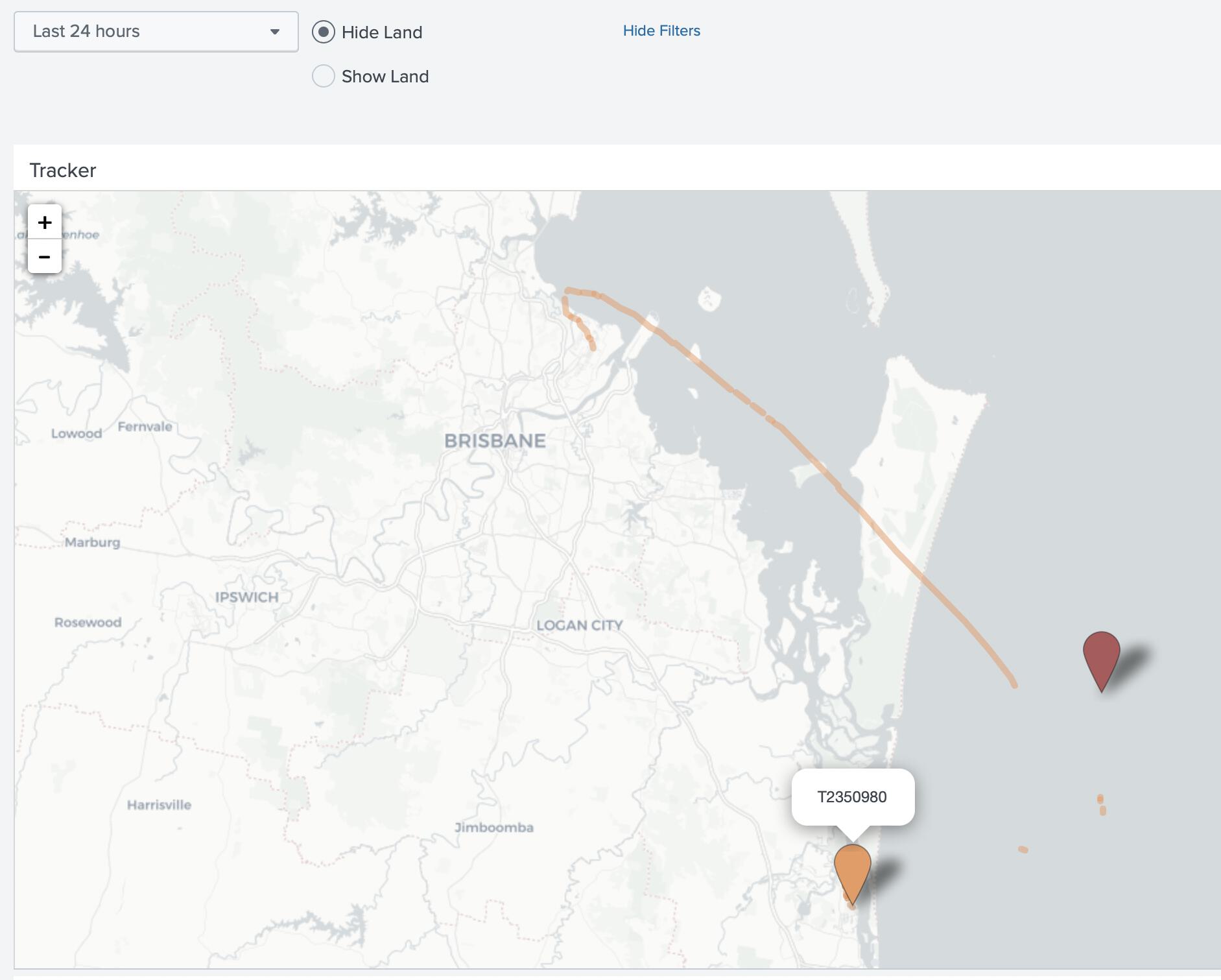
I finally got around to making a Splunk App for Queensland Covid Contact Tracing, parsing the Queensland Health webpage which lists exposure sites in Queensland.

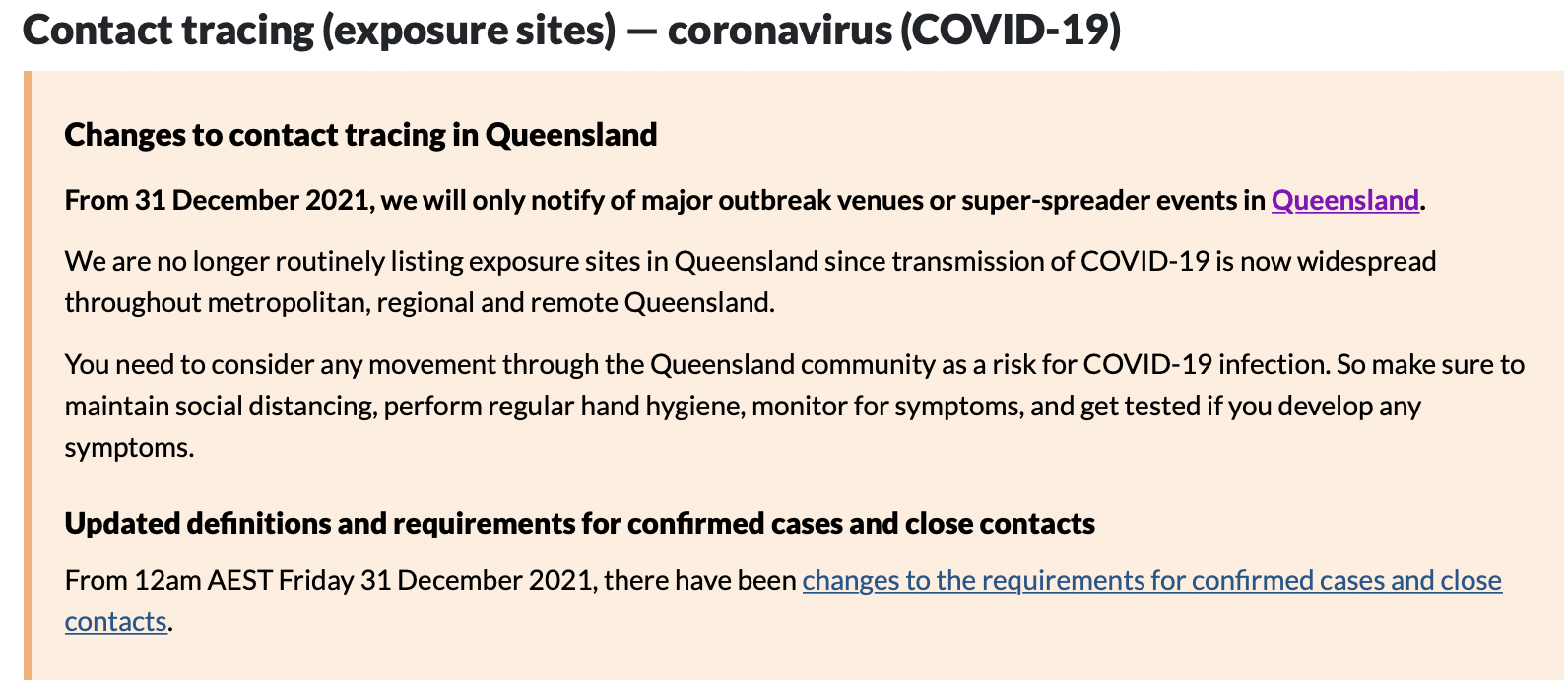
… and then they gave up.

Mumble mumble. I’m double-and-a-booster vaccinated (Pfizer x3), but that doesn’t mean I’m completely immune, and it’s getting wild.

Sigh. I guess it had to come to town eventually in a big way - I guess?

Stay safe, folks.

[Read More]

Unifi APs lbd exit code 256 repeatedly

Original thread on the unifi forums

lbd exited with code 256 and restarted by inittab, 141,020 times one one AP in 48 hours

This process has crashed more than a few times lately…

Model UAP-AC-IW, firmware Version 5.43.43.12741

The common response from @UI-Glenn was “disable band steering” - which I had done. Any chance of an actual fix soon?

I logged a support case for this, which led to me upgrading the firmware on the Unifi controller (self hosted, on a Ubuntu 20.04.3 VM)

[Read More]

Norton Lifelock Purchase Scam Email

Here’s a scam email, just so you can find it if you’re searching for it.

  • From: some random @gmail.com address.
  • Subject: “Payment processed successfully”
  • Source: gmail DKIM pass, so a hacked account.
Payment ID : 947GR924DR815
Payment Due Date : Oct 25, 2021
 

Norton


Dear Customer ,

Thank you for subscribing our services again and renewing your annual subscription.

As part of your automatic payment, your account has been charged with $419.94

This deduction will reflect in your statement as NTC-TB charge within 1-2 business days.

So if you have any concern with this direct-debit charge or you didn't authorize the charge, please feel free to connect with us at +1 888 - 721 - 7167


Description
Devices Covered
Expiration Date
Amount
Advanced Life-lock Security
05
Oct 24, 2022
$419.94


Your membership will automatically continue as long as you choose to remain a member.

Anytime you wish to cancel the services kindly visit "The Account Section Page" and follow the instructions to cancel the services.


Thank you 

Life-lock Security Dept.
Help care # +1 888 - 721 - 7167

This is a system generated mail. Please do not reply to this mail ID.
[Read More]

SQLite Syntax Error Near ON

If you get a weird error like

sqlite prepare error -> SqliteFailure(Error { code: Unknown, extended_code: 1 }, Some("near \"ON\": syntax error"))

or

syntax error near ON

While trying to use UPSERT ... ON CONFLICT(yyyy)

It could because you’re running Ubuntu Bionic or another similarly old version - your SQLite version’s before 3.24.0

From the SQLite documentation for ON CONFLICT:

The phrase “ON CONFLICT” is also part of UPSERT, which is an extension to INSERT added in version 3.24.0 (2018-06-04)

[Read More]

Console Screen Blanking on MacBook Pro Running Ubuntu

I’m running an old i7 2012-ish Macbook as a docker host since it still works and it’s pretty capable for the job.

The screen kept staying on while just sitting at the text login screen, which was a bit of a worry for the lifetime of the LCD.

I have finally figured out how to fix it! Woo! 🎉🥳🎉

Edit /etc/defaults/grub and update the GRUB_CMDLINE_LINUX_DEFAULT entry to have the following two entries:

[Read More]

Brother MFD PKCS#12 file is too large

While trying to update the HTTPS/TLS certificate on my Brother MFD, I got the following error:

The size of PKCS#12 file is too large.

I’m using a Let’s Encrypt-generated certificate and had packaged the full chain.

The fix I found was to just use the end cert. I generated it using this command, on a box where I generate my cert for this printer with certbot:

sudo openssl pkcs12 -export -out ~/brother.pfx \
    -inkey /etc/letsencrypt/live/brother.example.com/privkey.pem \
    -in /etc/letsencrypt/live/brother.example.com/cert.pem

One day I’ll automate the upload, but they randomize the login form, use CSRF and have a few other protections that make it surprisingly complicated. Woo, security?

[Read More]

Kanidm LDAP Auth Source for SimpleSAMLphp

This is an example /config/authsources.php when using Kanidm’s LDAP connector to provide user details and authentication.

The user needs to be posix-enabled and members of a posix-enabled group saml_admins will be marked as Administrators in SimpleSAMLphp.

<?php
$KANIDM_HOSTNAME = 'ldaps://kanidm.example.com';
$KANIDM_SEARCHBASE = 'dc=kanidm,dc=example,dc=com';
$KANIDM_LDAP_PORT = 636;

$config = [
	// admin creds, user needs to be part of the posix-enabled group "saml_admins"
    'admin' => [
        // The default is to use core:AdminPassword, but it can be replaced with any authentication source.
        'ldap:LDAP',

        // Give the user an option to save their username for future login attempts
        // And when enabled, what should the default be, to save the username or not
        'remember.username.enabled' => false,
        'remember.username.checked' => false,

        // The hostname of the LDAP server.
        'hostname' => $KANIDM_HOSTNAME,

        // Whether SSL/TLS should be used when contacting the LDAP server.
        'enable_tls' => true,

        // Whether debug output from the LDAP library should be enabled.
        // Default is FALSE.
        'debug' => false,

        // The timeout for accessing the LDAP server, in seconds. The default is 0, which means no timeout.
        'timeout' => 30,

        // The port used when accessing the LDAP server.
        // The default is 389.
        'port' => $KANIDM_LDAP_PORT,

        // Set whether to follow referrals. AD Controllers may require FALSE to function.
        'referrals' => true,

        // Which attributes should be retrieved from the LDAP server.
        // This can be an array of attribute names, or NULL, in which case
        // all attributes are fetched.
        'attributes' => array('uid'),

        // The pattern which should be used to create the users DN given the username.
        // %username% in this pattern will be replaced with the users username.
        //
        // This option is not used if the search.enable option is set to TRUE.
        'dnpattern' => 'uid=%username%,ou=people,dc=example,dc=org',

        // As an alternative to specifying a pattern for the users DN, it is possible to
        // search for the username in a set of attributes. This is enabled by this option.
        'search.enable' => true,

        // The DN which will be used as a base for the search.
        // This can be a single string, in which case only that DN is searched, or an
        // array of strings, in which case they will be searched in the order given.
        // kanidm
        'search.base' => $KANIDM_SEARCHBASE,

        // The attribute(s) the username should match against.
        //
        // This is an array with one or more attribute names. Any of the attributes in
        // the array may match the value the username.
        'search.attributes' => [
            'name',
        ],

        // Additional LDAP filters appended to the search attributes
        'search.filter' => '(&(class=posixaccount)(memberof=saml_admins))',

        // The username & password the SimpleSAMLphp should bind to before searching. If
        // this is left as NULL, no bind will be performed before searching.
        'search.username' => null,
        'search.password' => null,

        // If the directory uses privilege separation, the authenticated user may not be able to retrieve
        // all required attribures, a privileged entity is required to get them. This is enabled with this option.
        'priv.read' => false,

    ],
	// normal users, account needs to be posix-enabled
    'ldap' => [
        'ldap:LDAP',

        // Give the user an option to save their username for future login attempts
        // And when enabled, what should the default be, to save the username or not
        'remember.username.enabled' => false,
        'remember.username.checked' => false,

        // The hostname of the LDAP server.
        'hostname' => $KANIDM_HOSTNAME,

        // Whether SSL/TLS should be used when contacting the LDAP server.
        'enable_tls' => true,

        // Whether debug output from the LDAP library should be enabled.
        // Default is FALSE.
        'debug' => false,

        // The timeout for accessing the LDAP server, in seconds. The default is 0, which means no timeout.
        'timeout' => 30,

        // The port used when accessing the LDAP server. The default is 389.
        'port' => $KANIDM_LDAP_PORT,

        // Set whether to follow referrals. AD Controllers may require FALSE to function.
        'referrals' => true,

        // Which attributes should be retrieved from the LDAP server.
        // This can be an array of attribute names, or NULL, in which case all attributes are fetched.
        'attributes' => array('uid', 'mail', 'memberOf', 'displayName'),

        // As an alternative to specifying a pattern for the users DN, it is possible to
        // search for the username in a set of attributes. This is enabled by this option.
        'search.enable' => true,

        // The DN which will be used as a base for the search.
        // This can be a single string, in which case only that DN is searched, or an
        // array of strings, in which case they will be searched in the order given.
        'search.base' => $KANIDM_SEARCHBASE,

        // The attribute(s) the username should match against.
        //
        // This is an array with one or more attribute names. Any of the attributes in
        // the array may match the value the username.
        'search.attributes' => [
            'name',
        ],

        // Additional LDAP filters appended to the search attributes
        'search.filter' => '(class=posixaccount)',

        // The username & password the SimpleSAMLphp should bind to before searching. If
        // this is left as NULL, no bind will be performed before searching.
        'search.username' => null,
        'search.password' => null,

        // If the directory uses privilege separation,
        // the authenticated user may not be able to retrieve
        // all required attribures, a privileged entity is required
        // to get them. This is enabled with this option.
        'priv.read' => false,

    ],
];
[Read More]

mkdocs and Python Libraries

Documentation for libraries is handy. Automatically generating most of it from source code is even more handy.

Here’s a quick how-to on setting up mkdocs with the mkdocstrings plugin to automagically build docs for your project.

mkdocs.yml

This goes in the root directory of your project.

It sets various things like the Name of the site, theme etc.

site_name: aussiebb
theme:
  name: "material"

plugins:
  - search:
  - mkdocstrings:
      default_handler: python
      handlers:
        python:
          rendering:
            show_source: true
      watch:
        - "aussiebb/"

nav:
  - "Home": README.md
  - "aussiebb": aussiebb.md

Relevant documentation:

[Read More]